English
 Arabic
 French
 Spanish
 Portuguese
 Deutsch
 Turkish
 Dutch
 Italiano
 Russian
 Romaian
 Portuguese (Brazil)
 Greek
Motorized Curtains Emirates Hills: Smart Window Solutions for Luxury Villas
Networking |
2026-11-10 10:58:33
The legal industry involves extensive paperwork, repetitive documentation, and strict deadlines. From drafting contracts and preparing legal agreements to managing client records and court documents, attorneys spend a significant amount of time handling administrative tasks. While accuracy is essential in legal work, manually creating and reviewing documents can increase the risk of errors, inconsistencies, and delays.
This is where legal document automation software makes a difference. It helps law firms streamline document creation, reduce manual work, maintain consistency, and improve overall productivity. By automating repetitive processes, attorneys can spend less time on paperwork and more time focusing on legal strategies and client relationships.
Solutions like ClauseBorne help modern law firms embrace smarter legal workflows and improve the way they manage everyday documentation.
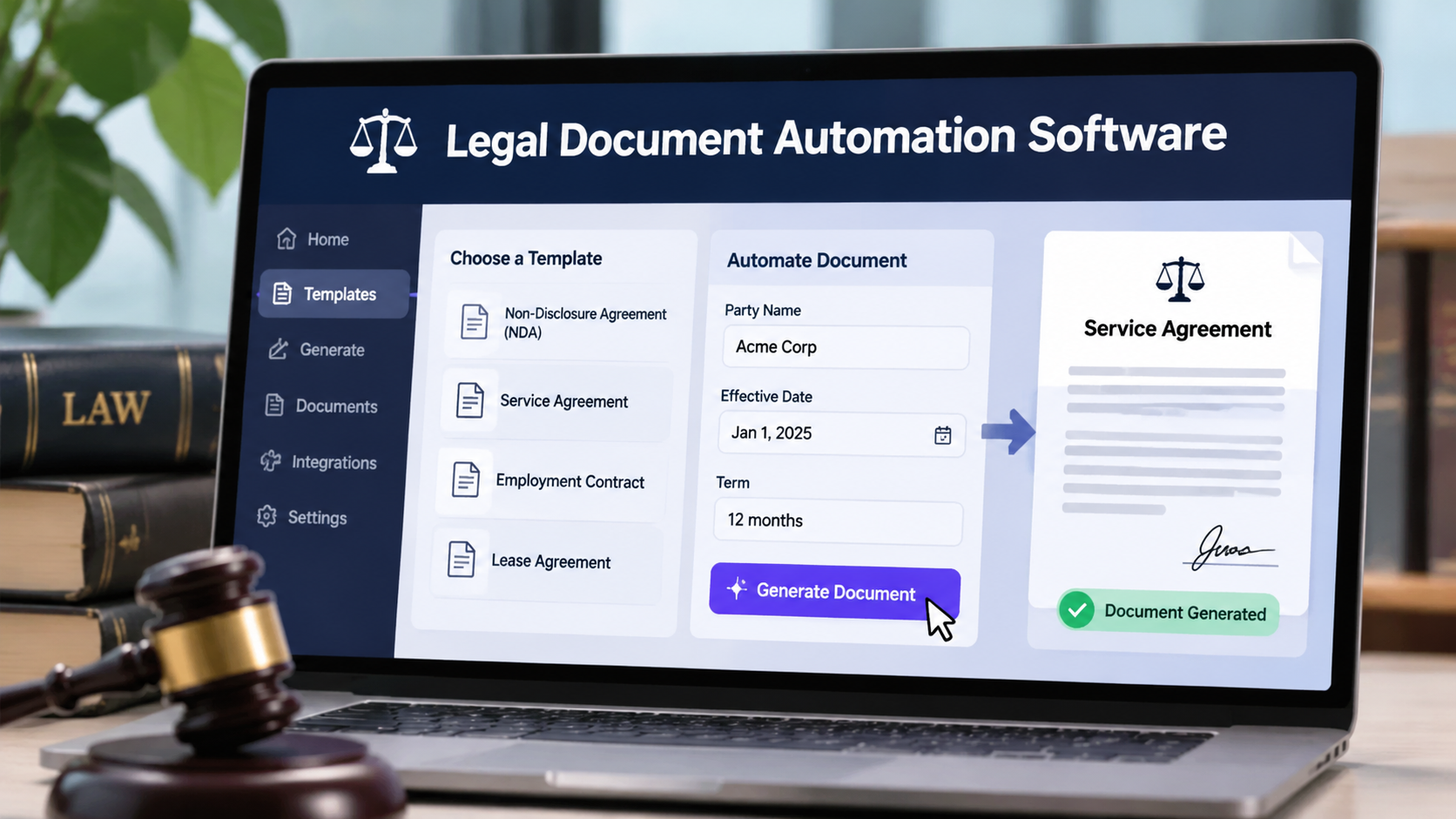
Legal document automation software is a technology solution that automates the creation, editing, and management of legal documents. Instead of preparing every document manually, attorneys can use predefined templates, automated workflows, and reusable information to generate accurate legal paperwork.
For example, when creating a client agreement, an attorney can enter essential details such as the client's name, address, case information, and agreement terms. The software automatically inserts this information into the appropriate sections of the document.
This approach reduces repetitive typing, minimizes human errors, and makes document preparation faster.
Common documents that can be automated include:
Legal contracts and agreements
Non-disclosure agreements (NDAs)
Client engagement letters
Court filings and legal notices
Employment agreements
Business formation documents
Legal correspondence
One of the biggest advantages of legal document automation is its ability to minimize mistakes caused by manual data entry.
When attorneys create documents manually, they often copy and paste information from different sources. This can result in incorrect client names, outdated addresses, missing information, or inconsistent contract terms.
Legal document automation software reduces these risks by using centralized information and predefined templates. Once information is entered, it can automatically populate relevant fields across multiple documents.
This ensures greater consistency and reduces the chances of common administrative mistakes.
Preparing legal documents from scratch can consume valuable hours, especially when law firms handle similar cases or agreements regularly.
Document automation eliminates much of this repetitive work. Attorneys can select an existing template, enter the required information, and generate a completed document within minutes.
For example, a law firm preparing multiple client engagement letters does not need to rewrite the same information repeatedly. Automated templates can generate customized letters using client-specific details.
This saves time, improves productivity, and allows legal professionals to manage more work without increasing administrative responsibilities.
Consistency is essential when preparing legal documents. Differences in formatting, terminology, clauses, and document structure can create confusion and potentially lead to misunderstandings.
With automated legal document generation, law firms can establish standardized templates for frequently used documents.
These templates ensure that important sections, formatting styles, and approved language remain consistent across documents.
Additionally, firms can update their templates whenever legal requirements or internal policies change. This helps attorneys work with standardized documents instead of relying on outdated versions.
Contract preparation often involves repetitive clauses, detailed information, and multiple revisions. Manually drafting each contract can slow down legal operations.
AI legal document drafting and automation tools help attorneys generate initial drafts, organize contract information, and identify areas that require additional review.
For example, attorneys can use predefined clauses and document templates to prepare contracts more efficiently. Some advanced platforms also offer features that help identify missing information, inconsistent terms, and potential drafting issues.
However, automated drafts should always be reviewed by qualified legal professionals before approval or signing.
Document creation is only one part of legal operations. Law firms also manage client intake, approvals, document storage, communication, and case-related tasks.
Integrating document automation into broader law firm workflow automation can make these processes more efficient.
For example, when a new client is added to a system, their information may be used to generate engagement letters and other required documents. Automated notifications can also help team members track pending approvals and deadlines.
This reduces unnecessary administrative steps and creates a more organized working environment.
Legal documents frequently contain confidential client information, financial details, and sensitive case records. Managing these files manually can make it difficult to maintain proper organization and access controls.
Modern legal document automation software may provide secure document storage, permission-based access, version tracking, and audit trails.
These features help law firms organize important records and monitor document changes.
When selecting a solution, firms should evaluate encryption, access permissions, data retention policies, and compliance with applicable privacy and security requirements.
Manual document preparation requires significant staff time and administrative resources. As a law firm grows, these costs can increase.
Automation helps reduce the time spent on repetitive tasks, allowing existing employees to focus on higher-value responsibilities.
It can also reduce expenses associated with correcting avoidable mistakes, recreating documents, and managing inefficient workflows.
For small and mid-sized law firms, these improvements can make legal operations more scalable and cost-effective.
Choosing the right technology is important for law firms looking to improve document management and operational efficiency.
ClauseBorne focuses on helping legal professionals simplify their workflows through AI-driven legal technology. By exploring solutions that support document automation and legal workflow management, law firms can reduce repetitive administrative work and create a more organized approach to everyday legal tasks.
Whether a firm wants to improve document preparation, streamline repetitive processes, or explore AI software for attorneys, adopting the right technology can support better productivity and consistency.
The goal is not to replace legal expertise but to give attorneys better tools to manage their responsibilities efficiently.
To get the most value from automation, law firms should follow a structured implementation process:
Identify repetitive tasks: Determine which documents are prepared frequently and take the most time.
Create standardized templates: Develop approved templates for commonly used legal documents.
Choose suitable software: Evaluate features, integration options, security, and ease of use.
Train your team: Ensure attorneys and support staff understand how to use the software.
Review automated documents: Establish human review procedures before documents are finalized.
Monitor performance: Regularly evaluate time savings, error rates, and workflow improvements.
Following these practices helps firms adopt automation without compromising professional standards.
1. What is legal document automation software?
Legal document automation software is a technology solution that helps law firms automatically create, edit, and manage legal documents using templates, predefined information, and automated workflows.
2. How does document automation reduce legal errors?
It reduces manual data entry, uses standardized templates, and helps maintain consistent information across documents. This minimizes common mistakes such as incorrect names, missing details, and inconsistent formatting.
3. Can small law firms benefit from document automation?
Yes. Small law firms can save time, reduce administrative workloads, improve document consistency, and manage client paperwork more efficiently without requiring extensive administrative resources.
4. Does legal document automation replace attorneys?
No. Document automation supports attorneys by handling repetitive administrative tasks. Legal professionals must still review documents, verify accuracy, interpret legal requirements, and make important legal decisions.
5. What documents can be automated using legal software?
Common examples include contracts, NDAs, engagement letters, employment agreements, legal notices, business agreements, and other frequently used legal documents.
6. How does ClauseBorne help law firms improve productivity?
ClauseBorne focuses on AI-driven legal technology designed to simplify legal workflows and reduce repetitive work. Law firms can explore its solutions to support more efficient document and practice management.
Legal document automation software is transforming how law firms create, review, and manage legal paperwork. By reducing manual data entry, improving consistency, accelerating document creation, and streamlining administrative processes, automation helps legal professionals save valuable time and minimize avoidable errors.
For modern law firms, adopting automation is not just about working faster. It is about building more accurate, organized, and scalable legal operations.
With solutions such as ClauseBorne, legal professionals can explore smarter ways to manage their workflows, improve productivity, and dedicate more time to delivering quality legal services.