English
 Arabic
 French
 Spanish
 Portuguese
 Deutsch
 Turkish
 Dutch
 Italiano
 Russian
 Romaian
 Portuguese (Brazil)
 Greek
The Electric Revolution: How Motorcycles Market Electric Models Transform Two-Wheel Mobility
Other |
2026-10-07 11:35:28
A customer chooses a scented candle, adds a greeting card, and asks for everything to be wrapped with a handwritten message. Another customer is collecting ten personalised gift boxes ordered earlier in the week. Meanwhile, someone shopping online wants the last photo frame on your shelf.
These are ordinary situations for a gift retailer, but they involve more than taking payments. Staff need to identify products, check availability, record special instructions, and keep orders organised.
POS software for gift shops can help connect these activities. The right setup gives employees clear information while helping owners understand what is selling, what needs replenishing, and which orders still require attention.
Gift shops often carry a varied collection of products. Candles, mugs, stationery, toys, ornaments, and accessories may sit alongside limited seasonal collections.
That variety makes product identification important. Two items may look similar while having different prices, suppliers, or stock quantities.
A practical catalogue should give each product a clear name and code. Where relevant, it should distinguish colour, fragrance, size, or design. Product images can help staff identify items that are difficult to describe, especially when new collections arrive.
Avoid relying heavily on a general “gift item” button at checkout. It may complete the transaction, but it leaves the business with less useful information about what was actually sold.
Gift hampers and curated boxes create a particular inventory challenge: several products are sold together as one offer.
Imagine a hypothetical gift box containing a notebook, a pen, a candle, and a presentation box. If the sale records only “gift hamper,” the individual items may still appear available unless the system also records their use.
There are two common ways a shop might organise this:
Assemble boxes in advance and move the components into finished gift-set stock.
Build each bundle when ordered and deduct its components at that point.
Ask potential providers how their software supports your preferred method. Also check what happens when a customer swaps an item or when a completed box is taken apart.
Bundle management is a capability to verify during a demonstration; it should not be assumed from a general inventory feature list.
Personalised gifts require clear instructions. A misspelled name or an overlooked collection date can create a problem even when the payment was recorded correctly.
For customised orders, look for a way to capture:
The exact wording or design requested.
The product and quantity.
Any personalisation or wrapping charge.
The agreed collection or delivery date.
Payment received and the remaining balance.
Approval of the final details, where needed.
The person preparing the gift should be able to find the current instructions without searching through several message threads.
If personalisation is a major part of your business, confirm whether the POS supports preparation statuses or needs to connect with a separate order-management tool.
The person buying a gift may not be the person returning it. That makes receipt options especially useful.
If your shop offers gift receipts, ask whether the software can produce a version that hides the price while retaining a reference to the original sale. Staff should still be able to retrieve the transaction and apply the store’s exchange policy.
Check how exchanges affect stock and payment records. An undamaged returned item might become available for sale again, while a damaged product should remain separate until reviewed.
Gift cards require their own checks. If you sell them, confirm how the system handles activation, partial redemption, remaining balances, and use across locations. Gift receipts and gift cards are different functions, and support for one does not imply support for the other.
Seasonal products have a limited period in which they are most relevant. Ordering too little can leave gaps during a busy week; ordering too much can tie up shelf space afterwards.
Use sales records to review which categories and price ranges performed well around previous occasions. Consider how long the products were available and whether popular lines sold out early.
For occasions such as Eid, compare equivalent periods before the celebration rather than simply comparing the same calendar dates each year.
Supplier lead times also matter. A reorder suggestion is only useful if the goods can arrive while customers still want them.
After the occasion, review remaining stock and decide which products can stay in the regular range, be repackaged, or be included in a planned promotion.
A gift retailer may receive orders at the counter, through a website, and through messages. Each channel needs a clear way to reserve the products promised to customers.
When evaluating POS software for gift shops, ask when an order affects availability. Does stock become reserved when the order is placed, when payment arrives, or when an employee accepts it?
Also check what happens when an order is cancelled or only partly fulfilled. Products should return to available stock at the appropriate stage.
For collection orders, distinguish “paid,” “ready,” and “collected.” These statuses answer different questions and help staff avoid handing over an incomplete order.
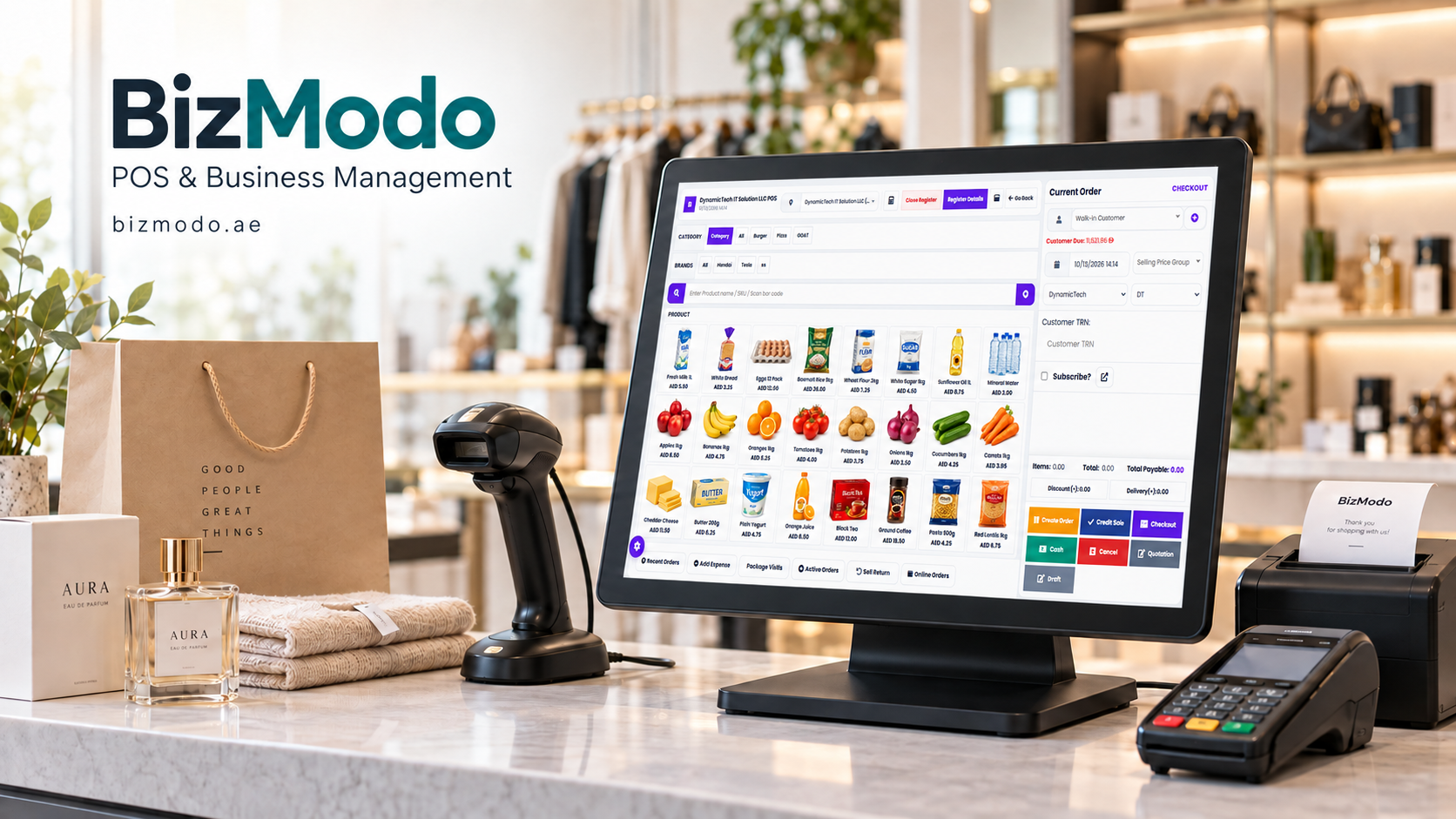
Businesses considering POS Software for Gift Shops can explore BizModo’s offering for UAE retailers. Its product page describes product images, barcode generation, inventory tracking, branch transfers, online order management, purchase orders, and sales reporting.
Use a demonstration to check how these capabilities fit your store. Bring a typical mixed basket, a personalised order, and a gift bundle rather than relying only on sample products.
Confirm any specialist requirements—such as gift receipts, gift-card balances, and component-level bundle tracking—along with the package price, setup work, and support arrangements.
After introducing a system, review a few practical outcomes. Can staff find products quickly? Are stock counts closer to the recorded quantities? Are personalised orders ready when promised? Can the manager identify outstanding collections without checking several notebooks?
These measures show whether the software is helping the people who use it.
A thoughtful gift depends on getting the small details right. Suitable POS software for gift shops helps your team keep those details organised, from the first product selected to the finished package handed to the customer.